A4 format • 794 x 1123 px • Print ready at 96 DPI
Specialised tools for Arabic text, OCR, and printable practice sheets.
Convert Arabic text into authentic handwritten Arabic script. Full RTL support, diacritics preserved, traditional Ruqaa and Naskh styles.
RTL supportUpload a photo of handwritten notes and get editable text back. Uses Tesseract OCR, runs entirely in your browser.
No upload to serverGenerate lined, dotted, or Montessori-style practice sheets with guide words. Print ready A4 PDF output for handwriting practice.
Print ready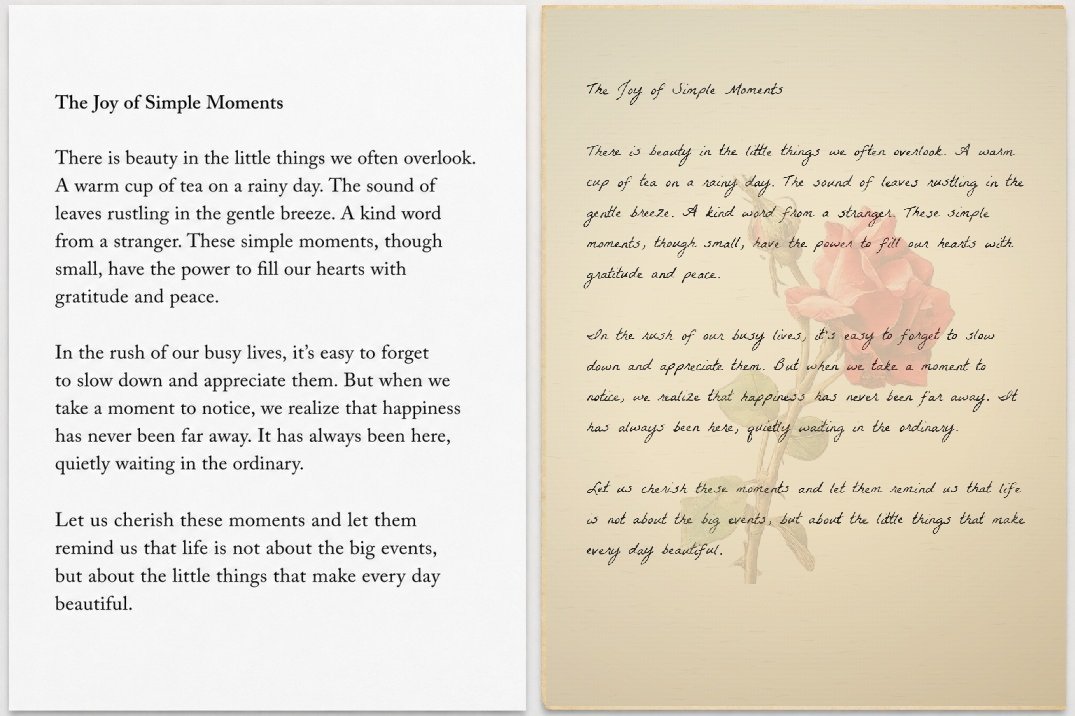
You have submitted handwritten PDF documents but never received appreciation for your handwriting. Not anymore. Use this handwriting tool to create beautifully crafted handwritten notes that look like your own.
The real problem: you have a 40-page handwritten assignment due, your hand gives up at page 3. This is what we solve.
Long text automatically flows across pages. Download a single full-bleed PDF with proper A4 pages, ready for binding at any print shop.
Each character has micro-jitter, rotation variation, and pressure simulation. No two renders look exactly the same.
Choose from plain white, grey ruled (like your notebook), aged parchment, or classic school notebook with margin line and hole punches.
From careful cursive to quick casual scrawl. Pick the one that matches how you actually write so the output looks genuine.
Once the page loads, no internet needed. Your text never leaves your browser. Nothing is sent to any server, ever.
Match the exact line spacing of your college notebook. Adjust margins so text sits naturally on the ruled lines for binding.
Three steps from typed text to a printable handwritten document.
Type or paste any text into the input box. Supports English, Arabic, and most Unicode scripts.
Choose your handwriting font, paper type, and ink color. Adjust size and line spacing to match your notebook.
The canvas updates as you type. Browse through pages if your text spans more than one sheet.
Save as a high-res PNG per page, or grab the full multi-page PDF ready for binding and submission.
Straight answers, no filler.
Free online tools for students, teachers, and anyone who needs handwritten documents without the hand cramp. Download as PNG or multi-page PDF, ready for binding and submission.